
2201 Dupont Dr., Irvine, CA 92612
© 2026 Glidewell. All rights reserved.
800-854-7256 USA
A practical guide to getting more out of My Account — streamlining practice workflows, reducing front-office headaches, creating more time for patients, and getting more out of your day.


Running a dental practice requires constant decision-making — clinical, operational, and everything in between. And every decision generates case questions:
In most practices, answering those questions still means a phone call, an email, or a search through the inbox. Individually, each one seems small, but together they add up to hours of staff time per week spent chasing information instead of moving cases forward — and ultimately taking away from what matters most: patient care.
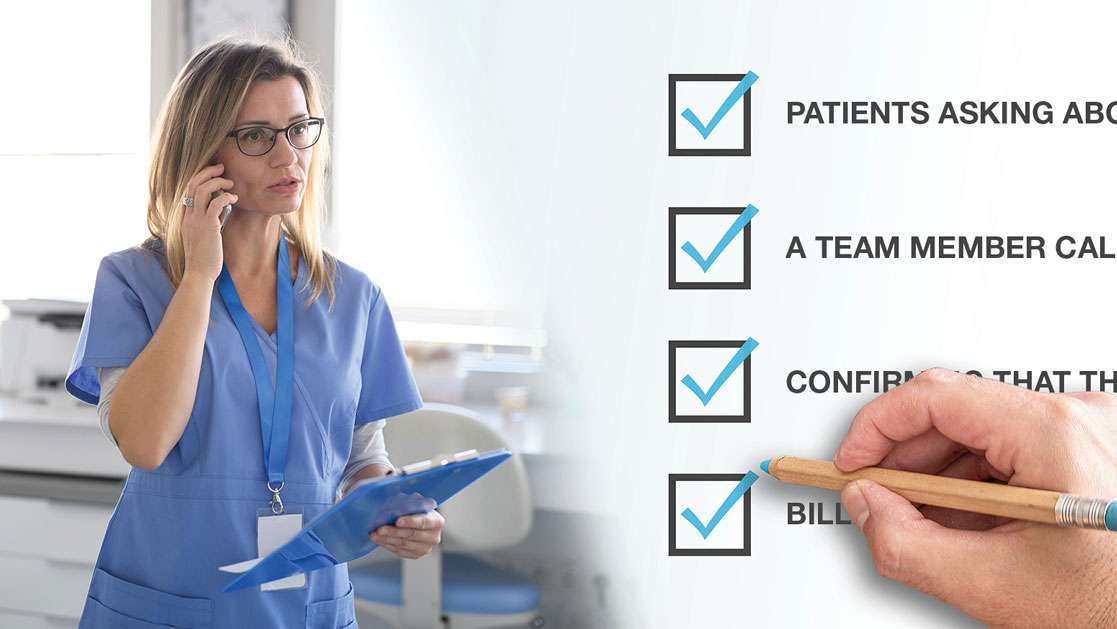
To fully understand where your team is losing time, run this quick audit. If your team answers yes to two or more of these questions, you're spending staff hours on information retrieval:
None of these are lab issues. Cases could be moving on time, but the challenge is that your team can't see progress without asking. What they need is full visibility into the process.
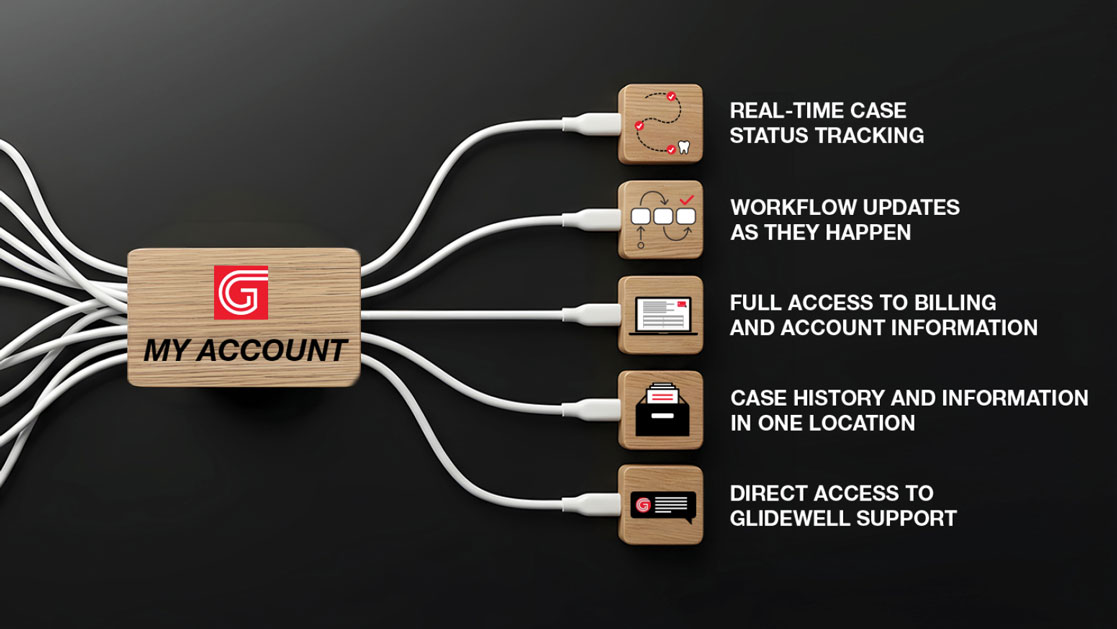
Most practices have gone digital where it counts. Intraoral scanning, digital case submission, streamlined workflows. But going digital and being connected are different things.
A completed case is table stakes. What practice teams need is confidence throughout the entire process. Because when information is delayed or difficult to access, everything is affected — scheduling, communication, case coordination, and the overall practice experience.
My Account puts that information in one place, eliminating the gap. Instead of chasing updates, your practice has one connected workspace to manage all interactions with Glidewell.
1: Set your baseline
Ask your front office one question: "How many times a day do we call or email the lab?" Whatever the answer is — three, five, ten — write it down to get a full understanding of how much time is being spent on following up.
2: Get everyone logged in
Anyone who makes or fields lab calls should have access to My Account. The time savings only show up when the person with the question can find the answer themselves.
3: Add the dashboard to your morning
Pull up active cases before the day starts. Flag anything seating this week and confirm status on the spot. Two minutes, and scheduling conflicts surface before the patient is in the chair.
4: Change the default for patient calls
When a patient asks about their case, check My Account before calling the lab. The answer is usually already there, and the patient gets it in one conversation instead of a callback.
5: Route billing questions through the portal
Account and billing lookups go through My Account first. Reserve calls for questions that genuinely require one.
Go back to the question you asked on Day 1. Notice the reduction in time spent on calls and email follow-ups. That's time you've been able to reinvest into your practice and your patients.

Every practice has its own workflow, but every practice shares the same goal: delivering exceptional patient care as efficiently as possible. When information is easy to access, the entire practice operates more smoothly. Clinicians have greater awareness of case progress and can focus on treatment decisions. Patients receive clearer communication and a more seamless experience. And workflows become proactive instead of reactive.
My Account brings together the everyday interactions that keep cases moving without adding complexity or changing how teams practice.
The best systems don’t create more steps, they remove the ones that shouldn’t exist. When it comes down to it, speed isn’t simply about turnaround time. It’s about eliminating delays, reducing friction, and giving practices the visibility to act with confidence.
That’s what My account delivers — one place for cases, updates, billing, support, and so much more.
Send blog-related questions and suggestions to hello@glidewell.com.
/GL-DB-6859919-080426-1.jpg/_jcr_content/renditions/thumb-jpeg-mobile-full.jpeg)

2201 Dupont Dr., Irvine, CA 92612
© 2026 Glidewell. All rights reserved.